How to Use MealLigence
From snapping a photo to enjoying a personalized meal, here's how to get the most out of your smart kitchen assistant.
Start Up
Launch the app to enter a world of intelligent cooking. A clean, simple interface awaits to help you manage your kitchen efficiently.
Snap Ingredients
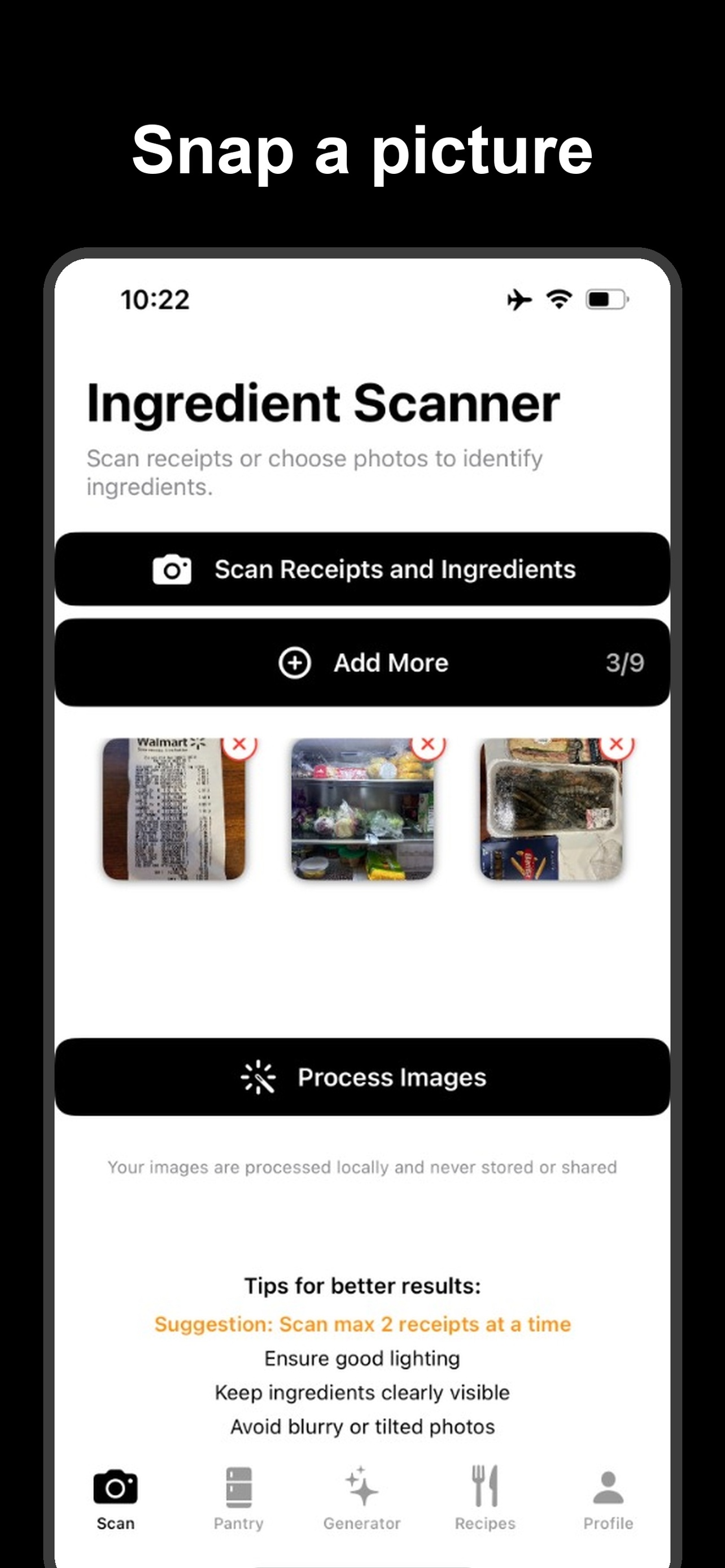
Don't type manually. Simply point your camera at your fridge or pantry, and our AI will instantly recognize and list your ingredients.
Manage Pantry
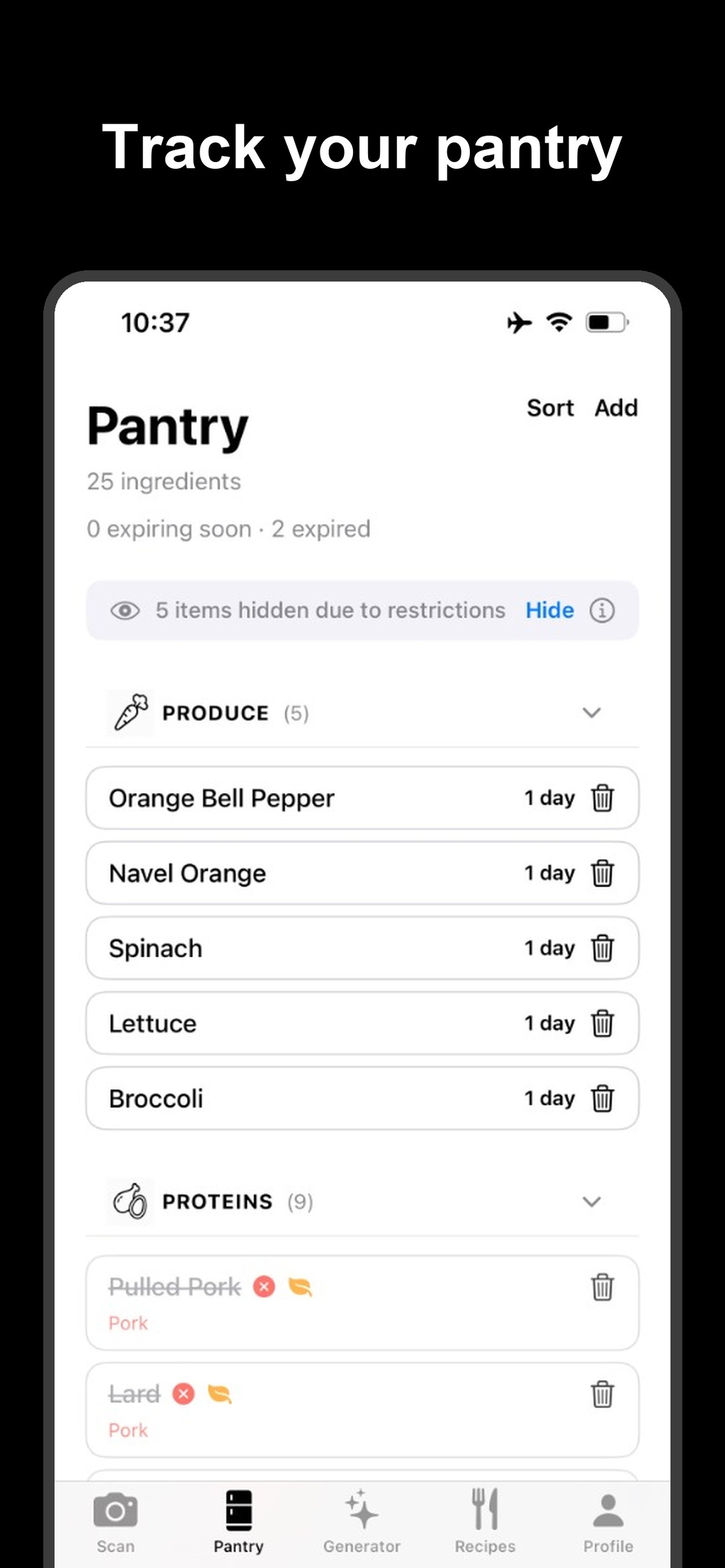
Keep your digital pantry organized. Edit items, add expiration dates, and ensure you always know what you have in stock.
Generate Recipes
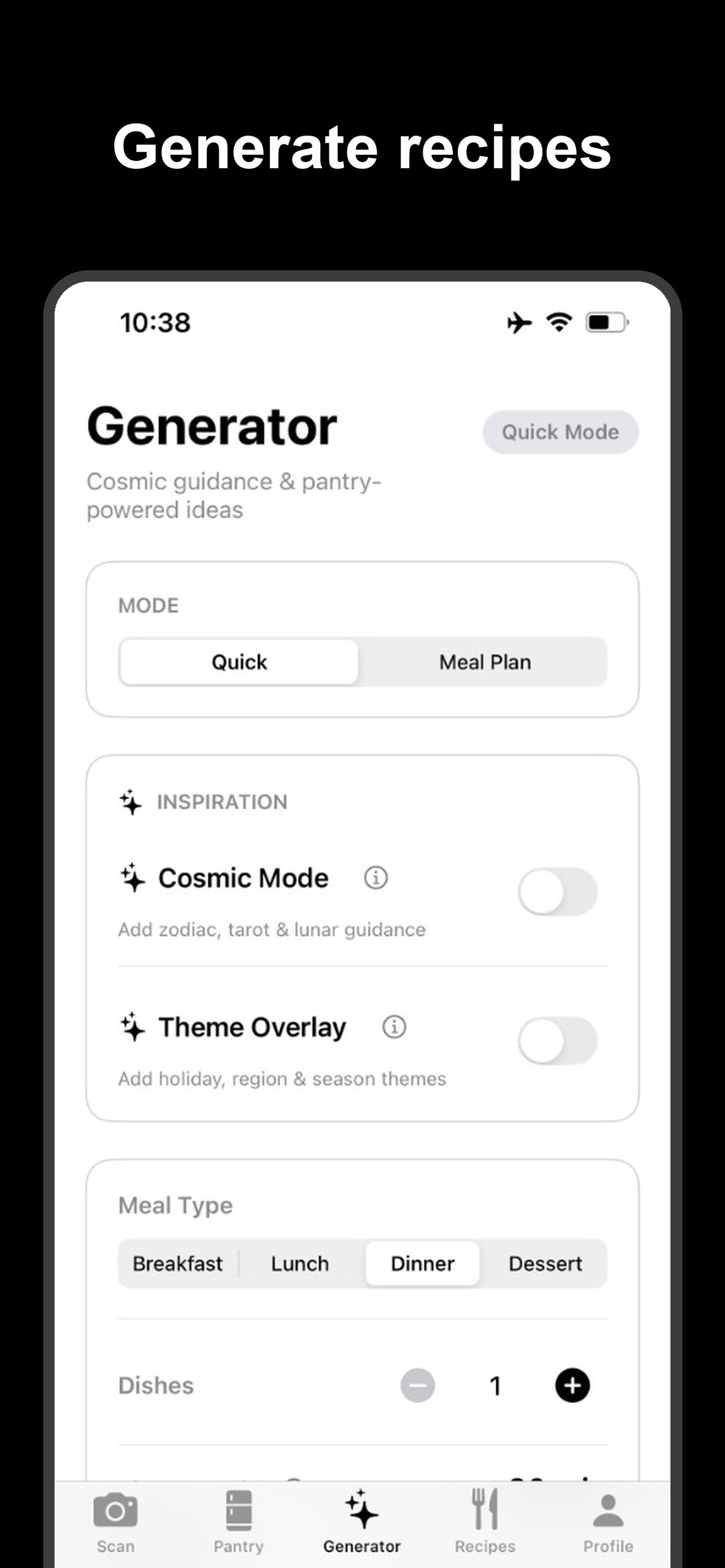
Select available ingredients and choose your meal type. The AI crafts personalized recipes based on what you actually have.
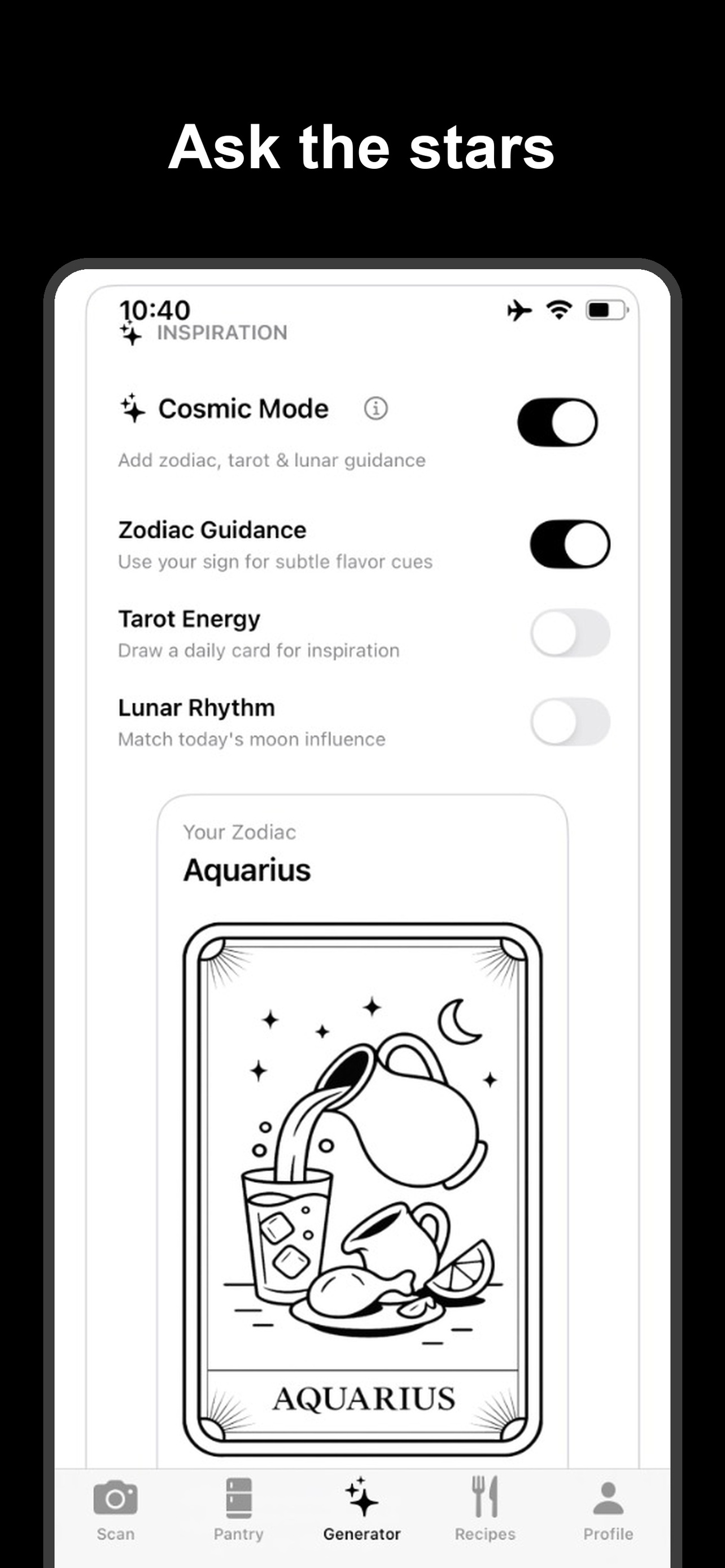
Zodiac Mode
Feeling undecided? Use Zodiac Mode to get meal suggestions tailored to your star sign's traits and current mood.
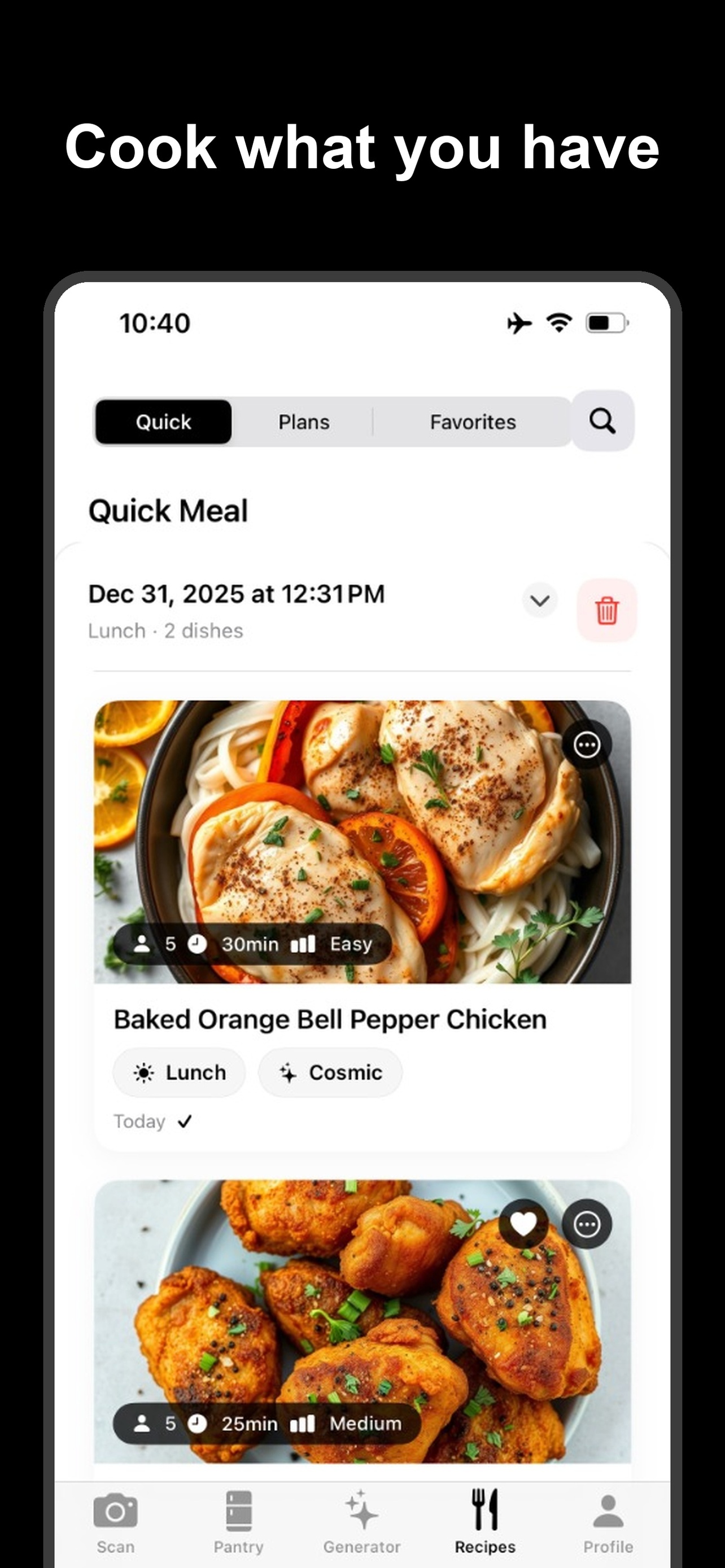
Recipe Results
Follow clear, step-by-step instructions. View nutritional info, missing ingredients, and save your favorites for later.
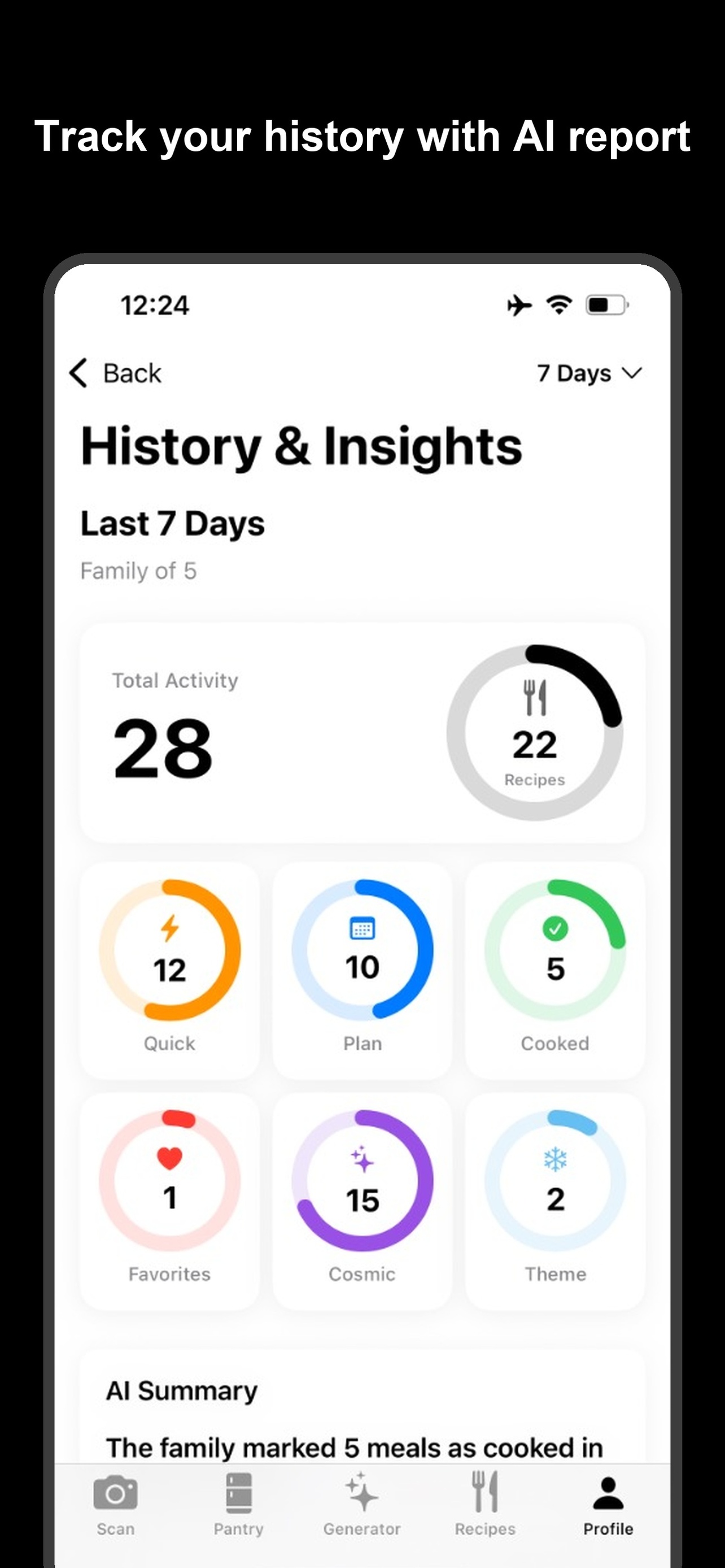
History
Track your culinary journey. Your cooking history is saved locally, allowing you to revisit past successes easily.
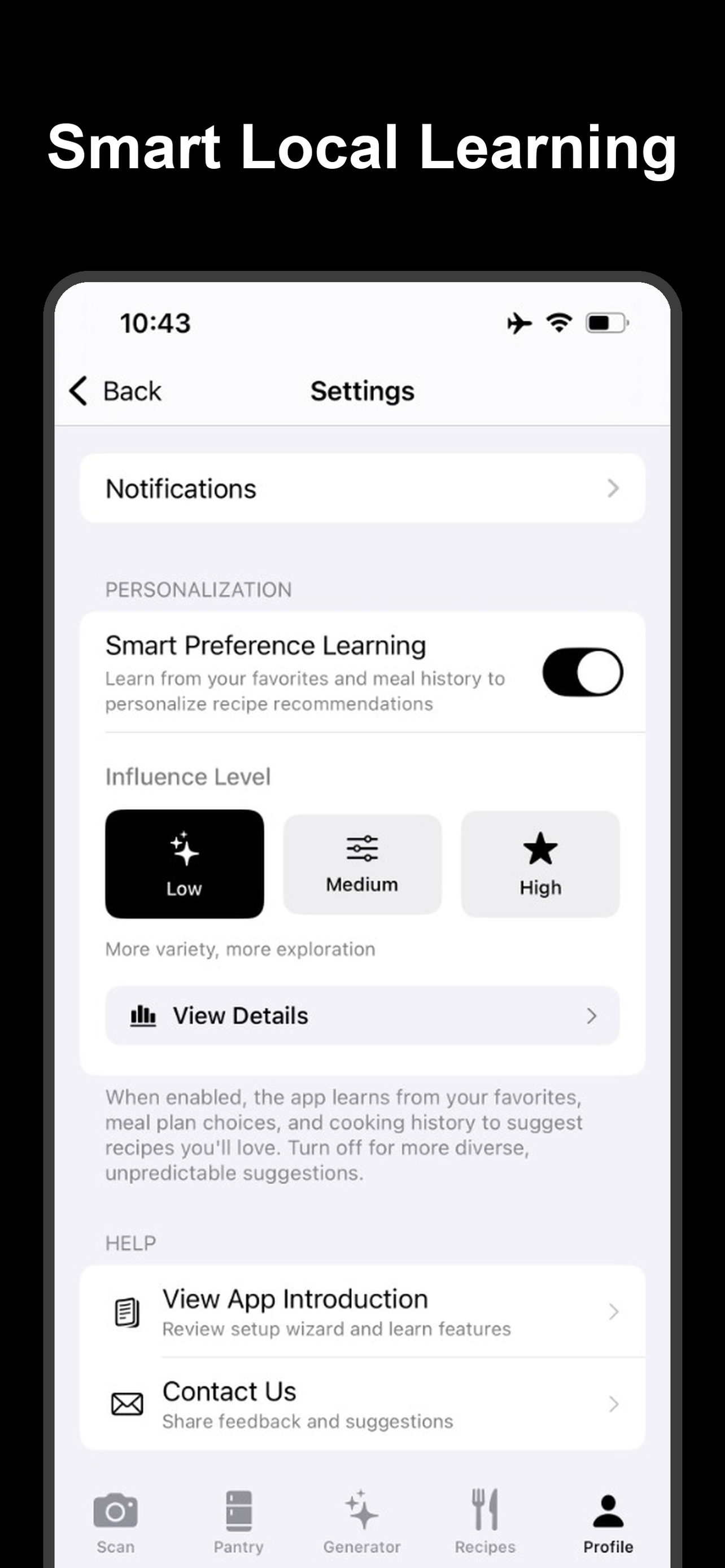
Smart Learning
Review your meal stats. The more you cook, the better the AI understands your preferences, creating a smarter kitchen loop.